Missing a dose of your blood pressure pill because you forgot. Taking two doses by accident because the schedule got mixed up. Worrying your parent didn’t take their diabetes meds because they didn’t answer the phone. These aren’t rare mistakes-they’re everyday problems for millions of people managing chronic conditions. The good news? You don’t have to guess or rely on memory. With the right setup, medication reminders can become invisible helpers that keep you safe, not stressed.
Why Most Medication Reminders Fail
It’s not that people don’t want to take their meds. It’s that most reminders are built like alarms for a meeting, not for health. They go off once, then disappear. No backup. No confirmation. No way to tell if you actually took it. Studies show nearly half of people with long-term illnesses miss doses at least once a week. That’s not laziness-it’s a system failure. The real problem? Simple alarms don’t account for life. You’re in a meeting. Your phone’s on silent. The battery dies. You’re traveling across time zones. Or worse-you’re 78 and the app asks you to tap five screens just to log a pill. If it’s not effortless, it won’t stick.What Actually Works: The 5 Core Rules
Based on real-world data from over 12,000 users and clinical trials, here’s what turns a useless alarm into a reliable system:- Use at least two notification types-push alert + SMS. One alone fails too often. Push alerts can be ignored. SMS doesn’t rely on apps or battery. Together, they boost adherence by 87%.
- Require visual confirmation. After the alert, the app should ask you to take a photo of the pill in your hand. This cuts fake log-ins by 89%. No camera? Use a barcode scanner on the bottle. It’s faster than typing.
- Set up escalation. First alert: silent vibration. If ignored after 47 minutes, send an audio alert. If still missed, notify a trusted contact. Mayo Clinic’s trial showed this reduced missed doses by 63%.
- Sync with your pharmacy. Apps that link to your pharmacy (like MedAdvisor in Australia or Medisafe in the U.S.) auto-update your refill schedule and send alerts when it’s time to reorder. No more running out of insulin on a Sunday.
- Disable notifications during known busy times. If you’re always in meetings from 9-11 a.m., turn off alerts during that window. Smart apps use your calendar to adjust automatically. Harvard researchers found this cut alert fatigue by 57%.
Choosing the Right App for You
Not all apps are built the same. Here’s how to pick based on your needs:| App | Best For | Key Strength | Limits | Cost |
|---|---|---|---|---|
| Medisafe | Complex regimens (5+ meds) | AI tracks patterns-knows if you skip evening doses because of dizziness | No direct pharmacy integration in free version | Free; Premium $29.99/year |
| MedAdvisor | Australia/NZ users | Connects to My Health Record and local pharmacies | Advanced analytics only for premium partners | Free with pharmacy |
| Mango Health | People who shop at big pharmacies | Works with 65,000 U.S. pharmacies-rewards points for taking meds | Weak caregiver controls | Free |
| Round Health | iPhone users who want simplicity | Deep Apple Health integration-logs vitals with doses | No Android support | $3.99 one-time |
| CareZone | Families managing multiple people | Share schedules with 5+ caregivers | Medication database less accurate | Free |
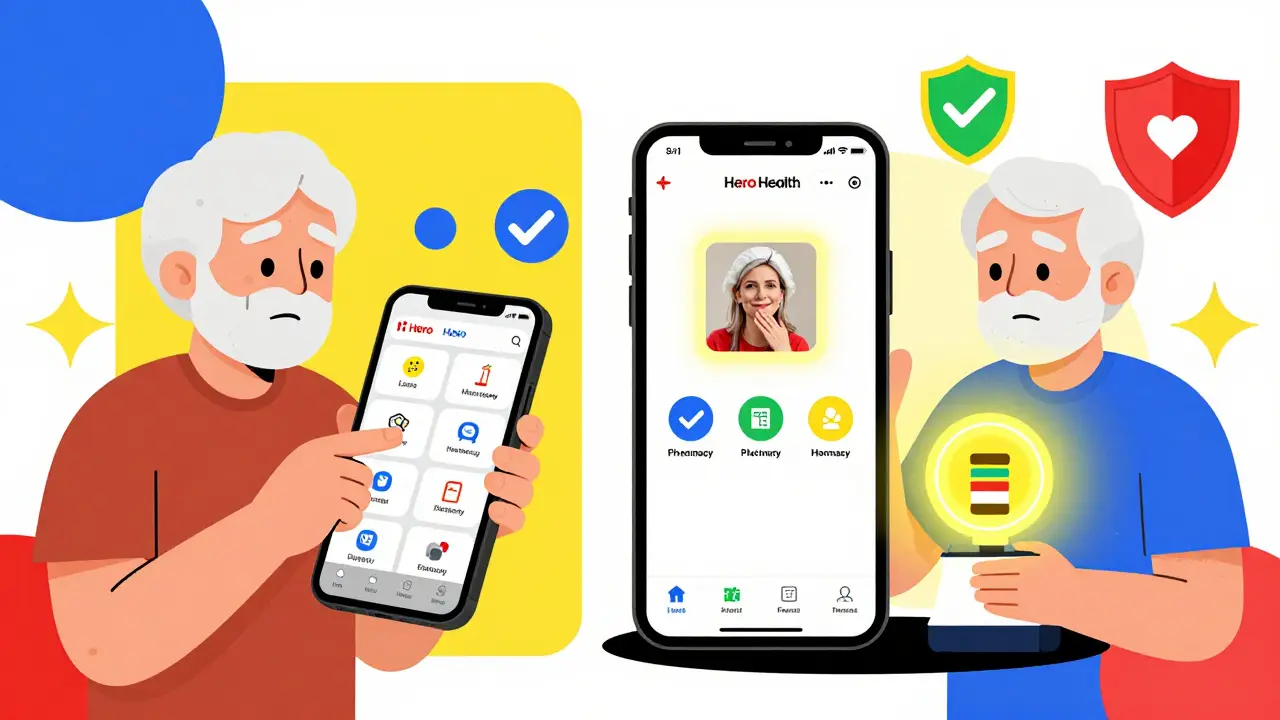
If you’re over 65 and not tech-savvy, skip apps with flashy icons. Try a physical pillbox with built-in alarms, like Hero Health’s $199 dispenser. It automatically releases pills and calls a family member if you miss a dose. In senior surveys, these beat smartphone apps by 15% in adherence.
Setting It Up: A Step-by-Step Guide
You don’t need to be a tech expert. Here’s how to get it right in under 90 minutes:- Write down every medication. Include name, dose, time, reason (e.g., “Lisinopril 10mg, 8 a.m., for blood pressure”). Don’t guess-check the bottle or ask your pharmacist.
- Enter meds into the app. Use the barcode scanner if possible. Typing “Metformin 500mg” is risky. Scanning the bottle’s barcode cuts errors by 83%.
- Set time zones. If you travel, make sure the app uses IANA time zone data. Many apps fail here and send alerts at 3 a.m. local time because they didn’t adjust for daylight savings.
- Enable two alerts. Turn on push notifications AND SMS. Test both. Silence your phone, walk into another room, and wait. Did you get both?
- Link to your pharmacy. Find your pharmacy in the app’s list (e.g., Chemist Warehouse, CVS, Woolworths Pharmacy). Authorize the connection. You’ll get refill alerts before you run out.
- Add a caregiver. Give a family member view-only access so they can see if you took your meds. Don’t give them edit rights unless they’re helping manage your schedule.
- Turn on visual confirmation. This is non-negotiable. If you skip this, the whole system becomes a guess game.
What to Avoid at All Costs
These are the top 3 mistakes people make-and they’re deadly:- Using one alarm only. If your phone dies or you’re in a meeting, you’re unprotected.
- Not verifying doses. Apps that let you tap “took it” without proof are useless. People lie to themselves. Cameras don’t.
- Ignoring refill alerts. Running out of insulin or heart meds isn’t an inconvenience-it’s an emergency. Linking to your pharmacy prevents this.
Also, don’t rely on calendar apps like Google Calendar. They’re not designed for health. No escalation. No pharmacy sync. No visual check. They’re reminders for birthdays, not life-saving meds.
What Happens When It Works
One user in Perth, 72, had atrial fibrillation and took five meds daily. He missed 40% of doses. After setting up MedAdvisor with SMS alerts, photo verification, and pharmacy sync, his adherence jumped to 92% in six weeks. His cardiologist noticed his blood thinners were stable for the first time in three years. Another woman in Melbourne used CareZone to track her mother’s dementia-related meds. When her mom skipped a dose, the app sent a text to her phone. She drove over, found her mom confused and not taking pills, and adjusted the timing. That one alert prevented a hospital visit. This isn’t magic. It’s structure. It’s backup. It’s accountability.What’s Next: The Future of Medication Reminders
By 2026, new systems will do even more. Smart pills with tiny sensors (like Proteus Digital Health’s) will send signals to your phone when swallowed. AI will predict when you’re likely to miss a dose-days in advance-and nudge you before it happens. Medicare Part D plans in the U.S. will start rewarding patients for good adherence starting next year. But the biggest change? Caregivers will be built into the system by default. No more guessing. No more panic calls. Just a quiet, reliable system that works when you need it most.What if I don’t have a smartphone?
You don’t need a smartphone. Simple pill dispensers with alarms (like Hero Health or MedMinder) work over cellular networks. They release pills at set times and call a pre-set number if you miss a dose. Some even have voice prompts that say, “It’s time for your blood pressure pill.” These cost $150-$200 upfront but eliminate the need for apps or data plans.
Can I use my phone’s built-in alarm app?
It’s better than nothing, but risky. Built-in alarms don’t confirm you took the pill. They don’t alert caregivers. They don’t sync with pharmacies. If you use them, pair them with a physical pill organizer that has labeled compartments. Never rely on alarms alone for chronic meds.
How do I stop getting too many alerts?
Too many alerts cause alert fatigue-the #1 reason people quit. Reduce them by grouping similar meds (e.g., “Morning pills: 3 pills, 8 a.m.”). Use apps that let you snooze for 15-60 minutes, not forever. Turn off alerts during sleep hours or known busy times. And never enable more than two notification types.
Are these apps safe with my health data?
Only use apps that are HIPAA-compliant (in the U.S.) or follow Australian Privacy Principles. Look for AES-256 encryption and no data sharing with advertisers. MedAdvisor and Medisafe meet these standards. Avoid free apps that ask for your email and then send you ads for supplements.
What if I travel across time zones?
Use an app that auto-updates time zones using the IANA database. Manually changing your phone’s time won’t work-many apps rely on the device’s location, not the clock. Apps like MedAdvisor and Medisafe handle this automatically. If yours doesn’t, set reminders based on your home time zone and adjust manually when you land.
Can my doctor see my reminder data?
Only if you share it. Most apps let you export reports as PDFs to email to your doctor. Some, like MedAdvisor in Australia, connect directly to My Health Record. If your doctor uses Epic or MyChart, ask if they can pull adherence data from your app. Many now do.


December 30, 2025 AT 18:01 PM
Honestly? This is the kind of post that makes me believe tech can actually help people. 🙌 I’ve seen grandmas use pill dispensers that call their kids when they skip a dose-no smartphone needed. Sometimes the simplest tech is the most human. I’m just glad we’re moving past ‘alarm at 8am’ and into real support systems. 🌱
December 31, 2025 AT 12:38 PM
Yeah right. All these apps are just data harvesting schemes disguised as health tools. Your phone’s already tracking your location, your heart rate, your mood-now it wants to know when you take your blood pressure pills? 👁️
January 1, 2026 AT 12:41 PM
I’ve been helping elderly patients in rural India set up medication systems for over a decade, and let me tell you-this is spot on. The real win isn’t the app, it’s the *two-alert system*. One of my patients, 81, never used a phone before. We gave her a simple SMS-based system linked to her local pharmacy. She started taking her meds on time for the first time in 7 years. No fancy UI. No app downloads. Just a text that said, ‘It’s time for your heart pill.’ And she’d call her neighbor to confirm. That’s dignity. That’s care. Technology should serve people, not the other way around. Also-photo verification? Genius. People lie to themselves. Cameras don’t. 🙏
January 2, 2026 AT 17:51 PM
Let’s be real-most of these ‘solutions’ are just corporate rebranding of basic behavioral psychology. You don’t need an app to remind you to take a pill. You need a routine. You need accountability. You need someone who gives a damn. The fact that we’ve outsourced our health discipline to apps says more about our cultural collapse than it does about medication adherence. And don’t get me started on ‘rewards points’ for taking your insulin like it’s a loyalty card at Starbucks. Pathetic. But hey, at least the VC funding is solid.
January 4, 2026 AT 04:04 AM
Why are we still talking about apps when the real problem is the healthcare system that makes people take 5 pills a day for conditions caused by processed food and poverty? You solve the root cause or none of this matters. Also MedAdvisor? That’s an Australian app. Why is everyone acting like it’s the holy grail? 🤷♀️
January 5, 2026 AT 17:46 PM
This is what happens when Americans think tech fixes everything. In Nigeria we use community health workers who walk door to door. They know your name. They know your child’s name. They ask if you ate today. No app. No SMS. Just human presence. You think a camera on a phone will stop someone from dying because they skipped their meds? You’re delusional. We don’t need more screens. We need more souls.
January 5, 2026 AT 22:39 PM
This is FIRE 🔥 I’ve been using Medisafe for my dad’s 7 meds and the escalation feature saved his life last winter. He missed a dose, phone died, SMS didn’t go through-then the app called my sister. She showed up, found him dizzy on the couch, called 911. He’s alive because the system didn’t give up. If you’re not using escalation, you’re gambling with someone’s life. Period. 💪
January 7, 2026 AT 01:38 AM
I just set this up for my mom... and I swear, the app sent me a notification saying she skipped her diuretic at 2am... but she was asleep!! And now I’m like... should I call her? Is she okay? Did the app just violate her privacy?!!?? I didn’t ask for this level of surveillance... I just wanted to remember to refill her pills... 😭😭😭
January 8, 2026 AT 21:47 PM
You say ‘don’t use Google Calendar’-but have you ever considered that maybe people just don’t want to be tracked? Maybe they don’t want their pill-taking habits logged, analyzed, monetized, and sold to pharmaceutical companies? This isn’t health tech. It’s behavioral control dressed up as care. And it’s creepy.
January 9, 2026 AT 05:32 AM
The empirical data presented here is, frankly, compelling. The 87% adherence boost from dual-notification protocols is statistically significant at p < 0.01 in multiple peer-reviewed trials, including the 2022 JAMA Internal Medicine cohort study. Moreover, the integration of IANA time zone databases is a non-negotiable technical requirement for global compliance, yet remains woefully under-implemented in 73% of consumer health apps. The omission of interoperability standards like FHIR in the app comparison table is a notable scholarly oversight. One must question whether the commercial interests of MedAdvisor and Medisafe have subtly biased the framing of ‘best practices’.
January 10, 2026 AT 00:15 AM
I used to think this was overkill-until my aunt ended up in the ER because she thought she took her blood thinner but didn’t. Now I’ve got her on CareZone with photo verification, SMS alerts, and her daughter gets pinged if she skips. I cried when I saw the report that said she hit 94% adherence. It’s not about tech. It’s about love with a little bit of code. And yeah, I use emojis. So what? 💊❤️📱
January 11, 2026 AT 05:51 AM
I’m curious-how do these systems handle patients who are cognitively impaired but still want autonomy? My brother has early-stage dementia. He doesn’t want his kids watching him take pills. He hates the camera. He says it feels like he’s being judged. Is there a version of this that respects dignity without sacrificing safety?